Separation
Separation monitoring watches existing asset associations and alerts you when a child asset moves too far from its parent. Use it to catch tool loss, detect packages left behind at a work site, or make sure tagged items stay with their assigned vehicle.
How it works
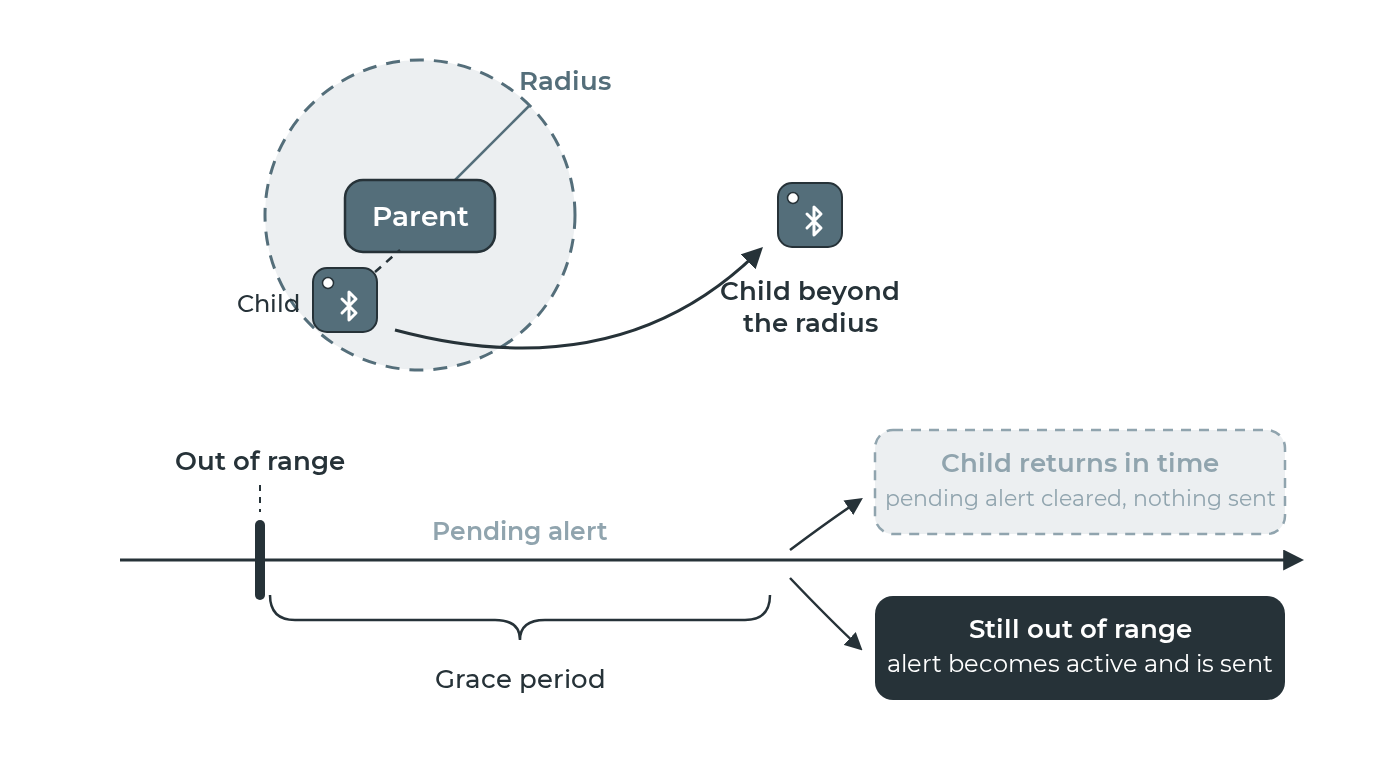
You set a radius around each parent asset. Whenever a child's position is further than that radius from its parent, the system raises an alert. The alert resolves automatically when the child moves back within range.
Separation rules work with any association — whether the association was created manually, via a scan, or via an auto-association rule.
For auto-associations, set this rule's radius below the auto-association rule's radius. The auto-association rule removes the pairing the moment the child passes its own radius, and once the pairing is gone there is nothing left for this rule to watch. A smaller radius here fires while the pair still exists.
Grace period
An optional grace period lets you avoid false positives from brief separations. When configured:
- The child moves out of range — a pending alert is created.
- If the child returns within the grace period, the pending alert is quietly cleared (no notification sent).
- If the child stays out of range past the grace period, the alert promotes to active and is sent to your event delivery channels.
Pending alerts are visible on the Alerts page with a yellow badge, so the team can see developing situations before they become active.
Parameters
| Parameter | Description |
|---|---|
radius_meters |
Maximum allowed distance between child and parent (1–10,000 m) |
grace_period_seconds |
Time the child must be out of range before the alert becomes active. Set to 0 for immediate alerts (up to 24 hours). |
child_device_type |
Only monitor children of this asset type (optional) |
parent_device_type |
Only monitor children of parents of this asset type (optional) |
See the rule types reference for the full parameter specification.
Example: tool tracking in vans
A company assigns tools to vans. They want to know when a tool is left behind at a work site.
- Associate each tool to its assigned van (manually or via proximity association).
- Create a separation rule with a 200 m radius and a 5-minute grace period.
- If a tool is still at the work site after the van drives away, an alert fires after 5 minutes.
- When the tool is returned to the van, the alert resolves automatically.
Related pages
- Asset associations
- Proximity association: for auto-creating associations, with optional alert on auto-disassociation
- Alert Workflow
- Rule types reference