Skip to content

Welcome

Blecon is a Bluetooth Low Energy (BLE) platform for asset tracking and real-time location, indoors and outdoors. Attach a beacon to anything you want to track, and Blecon tells you where it is, alerts you when something needs attention, and delivers sensor data to your systems. It works with the devices your workers already carry (phones, tablets, handhelds), so you can deploy a tracking network overnight with zero dedicated hardware.
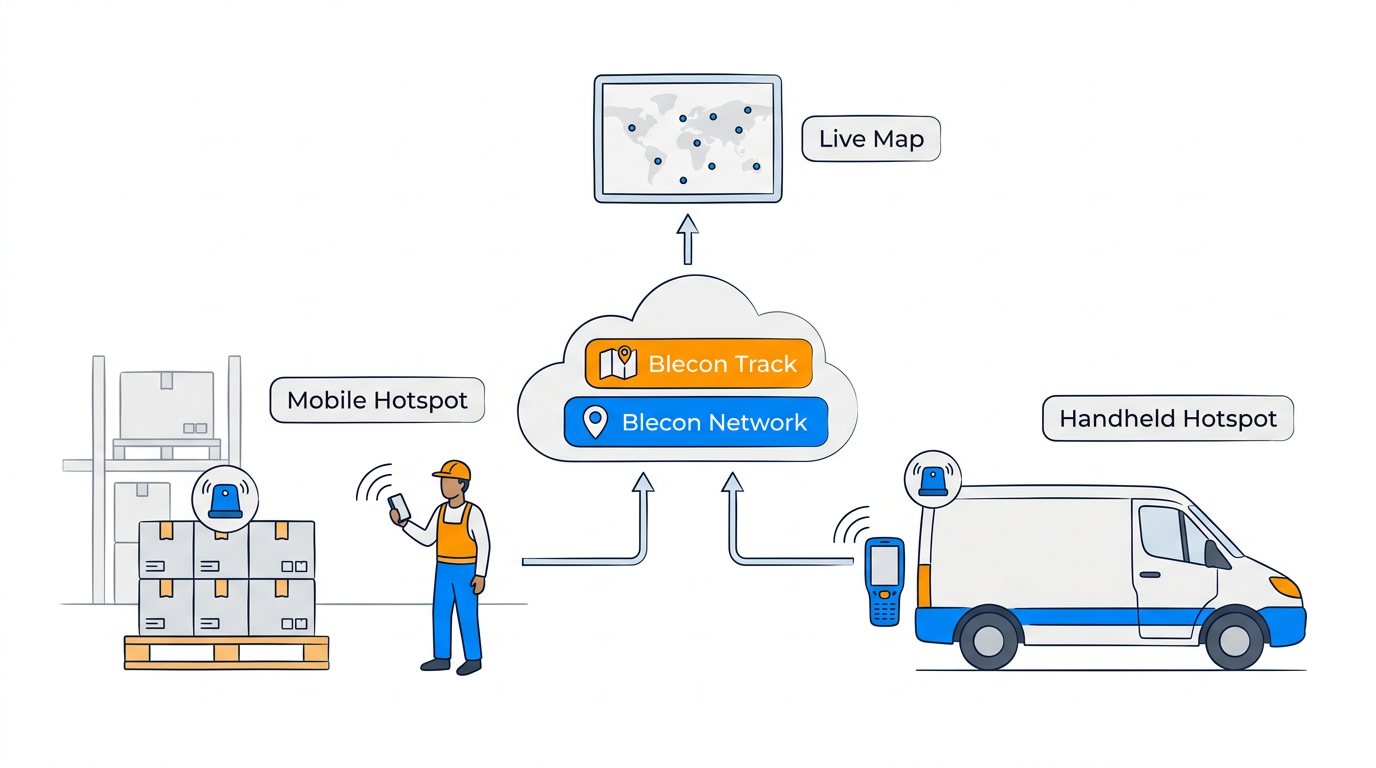
Indoor and outdoor asset tracking, unified through the cloud

These docs cover everything you need to deploy, configure, and operate the platform.

Where to start

  • What is Blecon?


    Understand the platform and how the pieces fit together.

    Learn more

  • Set up your first tracking network


    Create a network, register a device, and see location data flowing.

    Get started

  • Track your first device on the map


    Open the live map and see your device's position and trail.

    Try it out

The platform

Blecon platform overview: devices, hotspots, cloud, and the Track app

Blecon Track is the live tracking app. Every asset on a map. A complete searchable history of where each asset has been. Rules that monitor your operation 24/7 and generate alerts when conditions are met. An alert triage workflow (acknowledge, assign, resolve), so your team works through problems rather than drowning in notifications. It works indoors and outdoors in one unified system. Most users work entirely in Track.

APIs: the Tracker API and Network API give you programmatic access to everything in Track, plus lower-level control over devices, hotspots, and data routing. Use these to build custom dashboards, automate operations, or integrate with your own systems.

The Console is an advanced configuration tool for managing networks, data routing, and integrations. Most users never need it; it's there for teams building custom integrations or managing multiple networks.

Building a custom device?

These docs cover deploying and operating the Blecon platform with supported devices. If you're developing custom hardware or building your own Blecon-compatible device, contact Blecon support for access to the device developer documentation.


Questions? Contact Blecon support — we're happy to help.