History Store
Go back in time and see exactly where an asset was and what it was reporting. Position history gives you a complete, timestamped record of every position update and sensor reading for each asset, ideal for compliance audits, incident investigations, and understanding movement patterns over time.
Position history
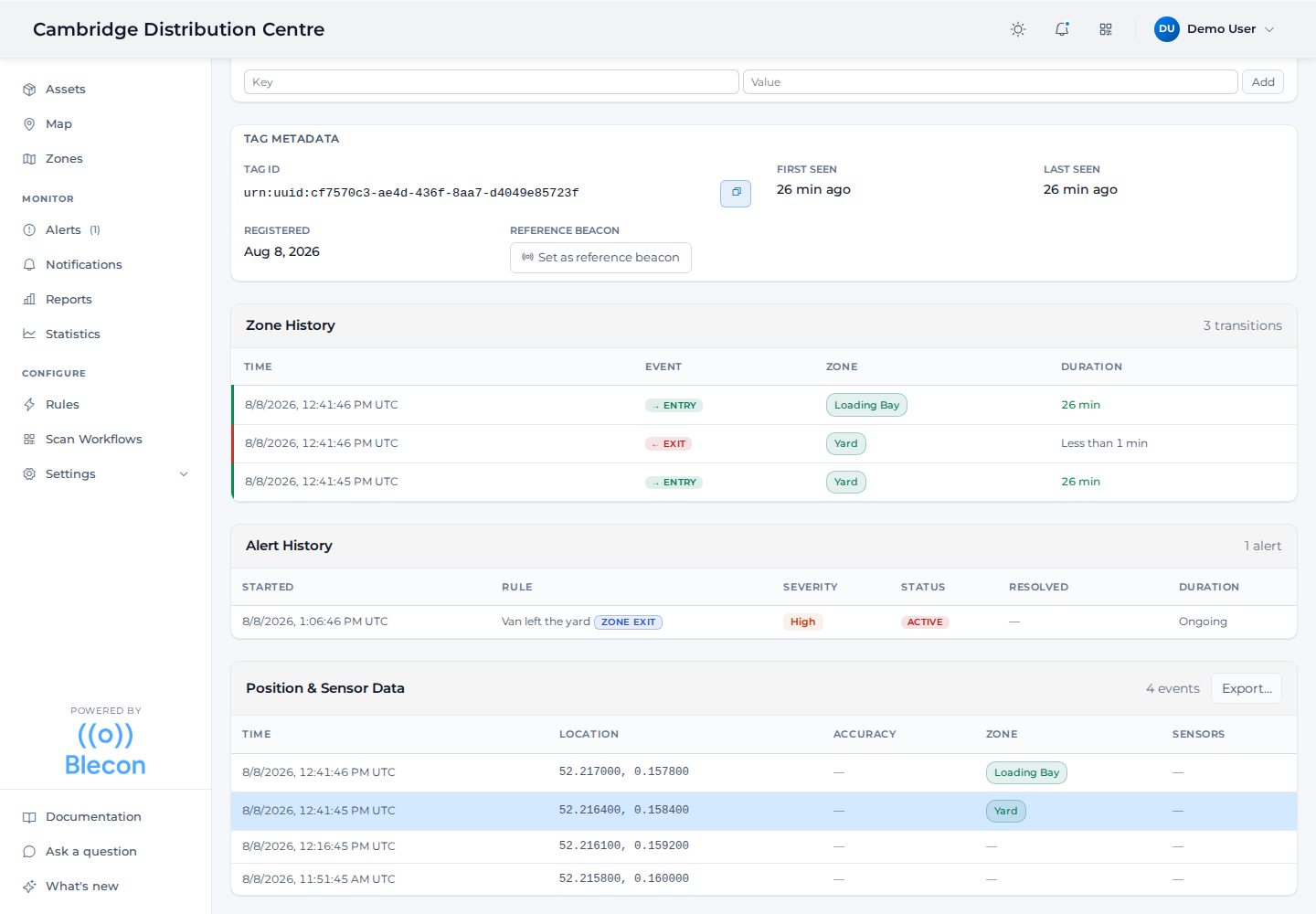
The lower half of any asset's detail page is its record: every zone it entered and left, every alert it raised, and every position it reported, each with a timestamp. Export… takes the position table out as a file.
Every time a tag reports its position, it's stored as a timestamped record. You can view the full history on the asset detail page, including:
- Coordinates: Latitude/longitude or local x/y/z coordinates.
- Zone: Which zone the tag was in at the time (if any).
- Accuracy: The estimated accuracy radius in metres, accounting for hotspot GPS accuracy and location freshness (see The accuracy value).
- Seen by: The Agent device whose detection produced the position: the phone or handheld that was nearest, which tells you whose device last saw a missing asset. Only Agent devices registered in the workspace are named, and each links through to its own asset page. A position reported by a hub or an unregistered device shows no entry.
- Timestamp: When the position was recorded.
Position updates are triggered by: - Movement: The tag moved beyond the configured distance threshold. - Heartbeat: A periodic update even when the tag is stationary. - Zone change: The tag entered or left a zone.
Retention
Position history is retained for approximately 3 months. After that, records are automatically removed. If you need to keep data longer, export it before it ages out.
Sensor data
Some tags report sensor readings alongside their position:
- Temperature: In degrees Celsius.
- Humidity: As a percentage.
- Battery voltage: In millivolts.
- Uptime: Tag uptime in seconds.
Sensor data appears in the asset detail panel alongside position history.
Exporting data
You can export position history for analysis or compliance reporting. See Export position history.