Proximity association
Proximity association monitors when two tag types come near each other or move apart, and can automatically create or remove asset associations based on physical proximity.
How it works
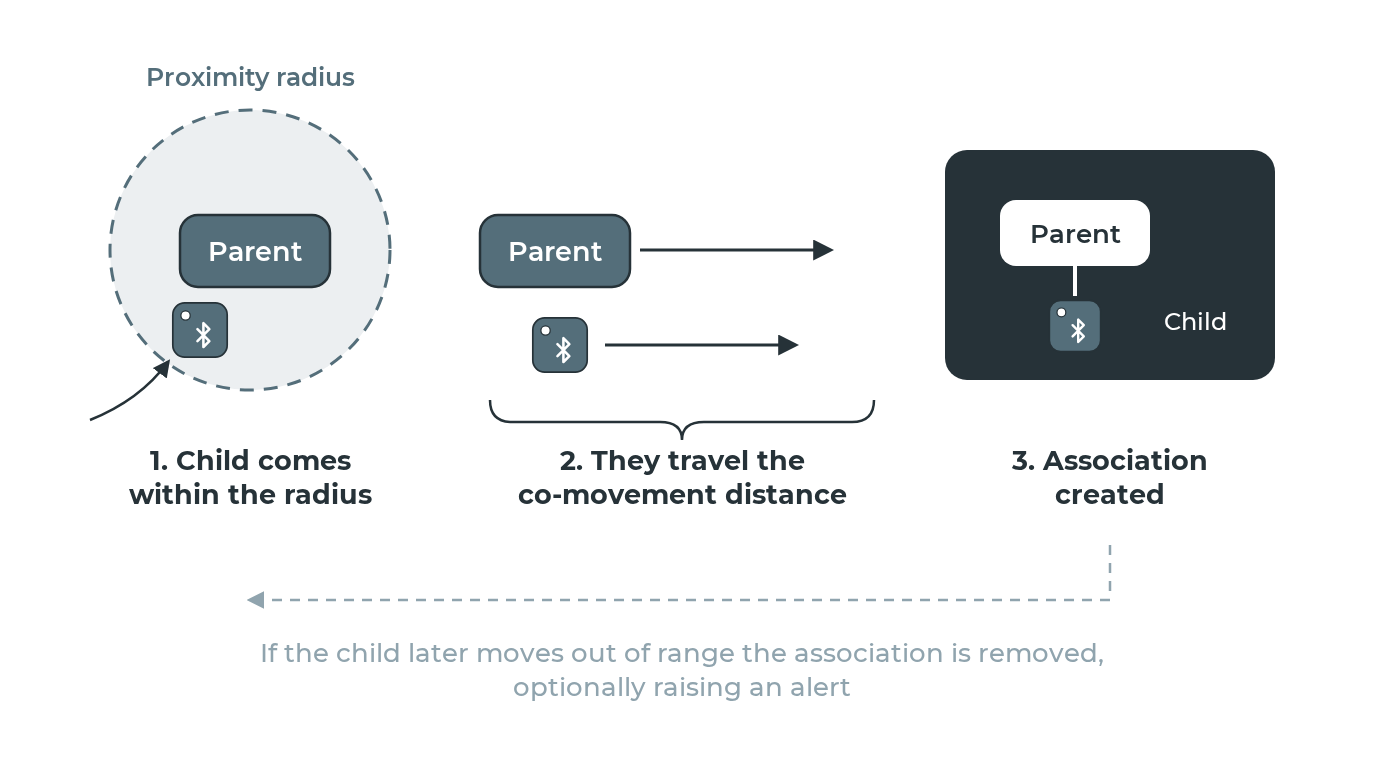
You define a parent tag type and a child tag type along with a proximity radius. When a child tag enters the radius of a parent tag, the system can trigger an association, for example, linking a sensor tag on a pallet to the truck it's loaded onto.
Confirming the association
By default the association is made as soon as the child is inside the parent's radius. Two tags that pass each other in a corridor would then be linked, so you can require them to stay together first.
- Set
triggerto"dwell". - Set
dwell_secondsto how long the child must stay inside the radius.
The "co_movement" trigger has been removed. It waited until the parent had travelled a distance while the child stayed near, which is companionship inferred from coordinates. Use dwell for "these two are attached". For "which device travelled with this asset", every trip already records its carrier: the Agent device that reported most of its positions.
Being told when they come apart
This rule creates and removes associations. Being alerted about a pair coming apart is the separation rule's job: one rule watches every association, however it was made, with its own radius and an optional grace period.
Give the separation rule a smaller radius than this rule's association radius. This rule removes an auto-association the moment the child passes its radius, and a separation rule with a larger one would never see the pair leave.
Parameters
| Parameter | Description |
|---|---|
child_device_type |
Tag type of the child asset |
parent_device_type |
Tag type of the parent asset (must differ from child) |
radius_meters |
Proximity radius (0–10,000 m) |
trigger |
"dwell", or leave unset to associate on entering the radius |
dwell_seconds |
Time in proximity before triggering (when using dwell) |
See the rule types reference for the full parameter specification.
Related pages
- Asset associations
- Separation rule: for monitoring all associations (manual or auto) for distance
- Trips and stops: every trip records the Agent device that carried the asset
- Rule types reference