Zone activity
Understand how your spaces are actually being used. Zone activity reveals the flow of assets through your zones (who's in each area, how long they stay, and when they come and go), so you can identify bottlenecks, validate processes, and make data-driven decisions about your operations.
What zone activity shows
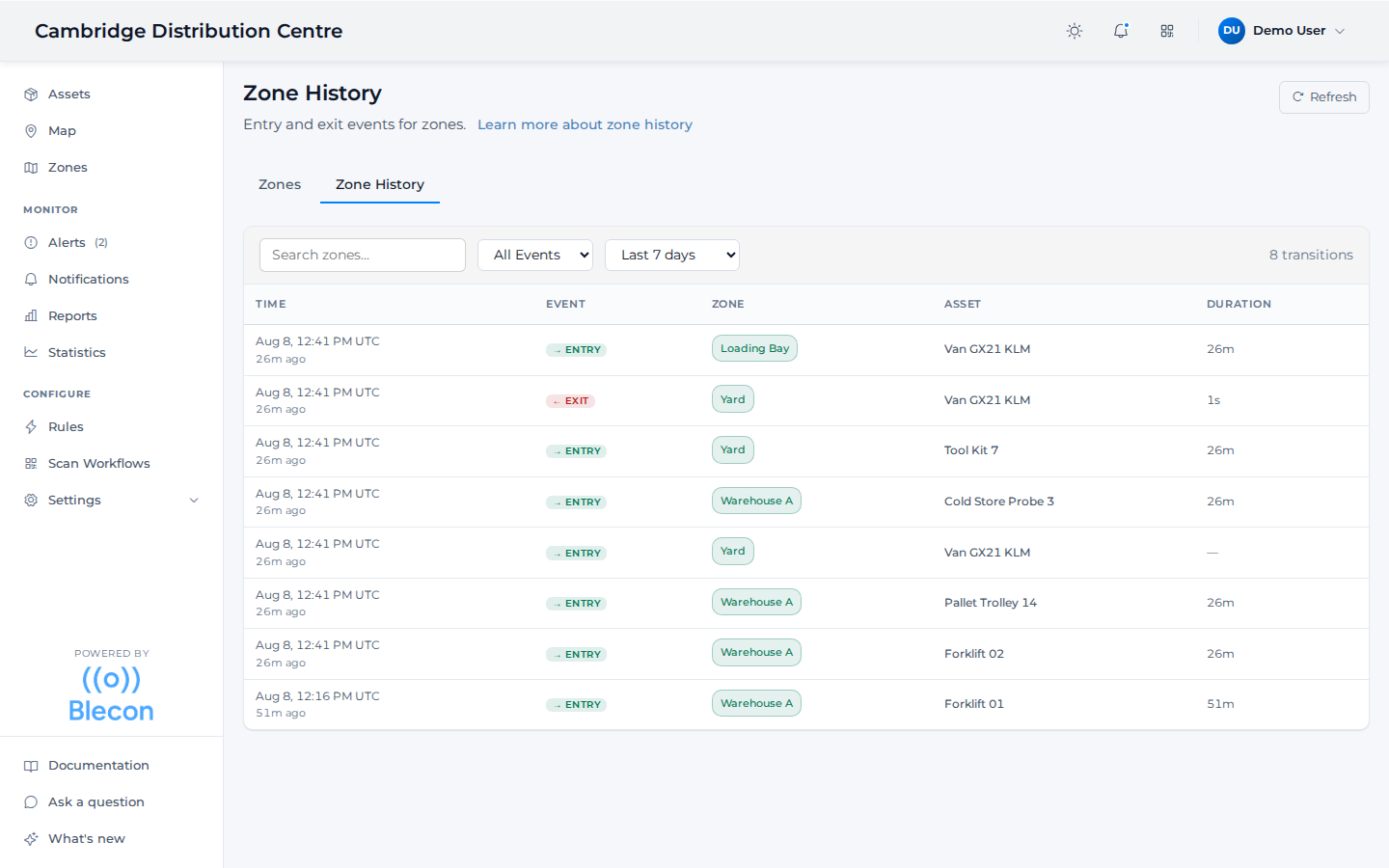
The Zone History tab on the Zones page lists every entry and exit across the workspace, newest first, with the asset and how long it stayed. Filter by zone, by event type, or over the last 24 hours through 90 days.
For each zone, you can see:
- Current assets: Which tags are in the zone right now and how long they've been there.
- Entry and exit history: A timeline of when tags entered and left the zone.
- Dwell times: How long each tag stayed in the zone during each visit.
Using zone activity
Zone activity helps you understand usage patterns:
- Which zones are busiest at different times of day
- How long assets typically stay in a zone
- Whether assets are moving through zones as expected
This data complements alert rules: activity shows you the patterns, rules let you act on them automatically.