BLE Smart Sensors Evaluation Kit Quickstart
Get your BLE Smart Sensors kit up and running and start tracking sensor tags in under 5 minutes.
What's in your kit
Your kit includes:
- L02S-BCN Sensor Tags: reusable Bluetooth sensor tags to attach to the assets you want to track
- Blecon Agent: software that turns your mobile devices into a tag scanning network
- Blecon Track: the tag tracking platform where you view and manage your tags
Step 1: Create a workspace
Create a Blecon Track workspace. This is where your tracked assets appear on the map, and where you manage alert rules and zones. If you've already done this, skip to Step 2.
Step 2: Install Blecon Agent
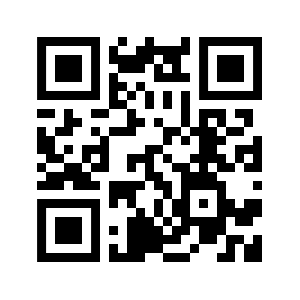
Blecon Agent turns your Android or iOS device into a hotspot that scans for nearby tags. Search for Blecon in the Apple App Store or Google Play Store to install it, or scan the QR code to download it directly.
Once installed, Blecon Agent runs in the background without user intervention. No manual scanning required.


Step 3: Register and activate a sensor tag
Inside your workspace:
- Go to Assets and click Add Asset.
- If you're on a computer, scan the on-screen QR code with your mobile device's camera to open the tag reader on the device.
- Scan the tag's QR code to register it.
- Unscrew the case, press the small button inside to activate the tag, then resecure the case.
Your sensor tag should appear on the map within about a minute of activation.