Data routing
Deliver device events exactly where you need them. Data routing lets you define rules that send the right events to the right systems — whether that's a webhook for real-time processing, an AWS queue for async workflows, or multiple destinations simultaneously.
How routing works
Each network has routes that map event patterns to webhook destinations. When a device on the network generates an event, the system matches it against the network's routes and delivers the event to each matching destination.
Routes
A route has three parts:
- Event filter — A glob pattern that matches event types:
*(everything),device.*(all device events),device.message.*(one-way messages only),network.device_position(a specific event). - Destination URL — The webhook endpoint that receives matching events.
- Headers (optional) — Custom HTTP headers included with each delivery (up to 5 key-value pairs).
Routes also have a priority order. When multiple routes match the same event, priority determines evaluation order.
Routing behaviour
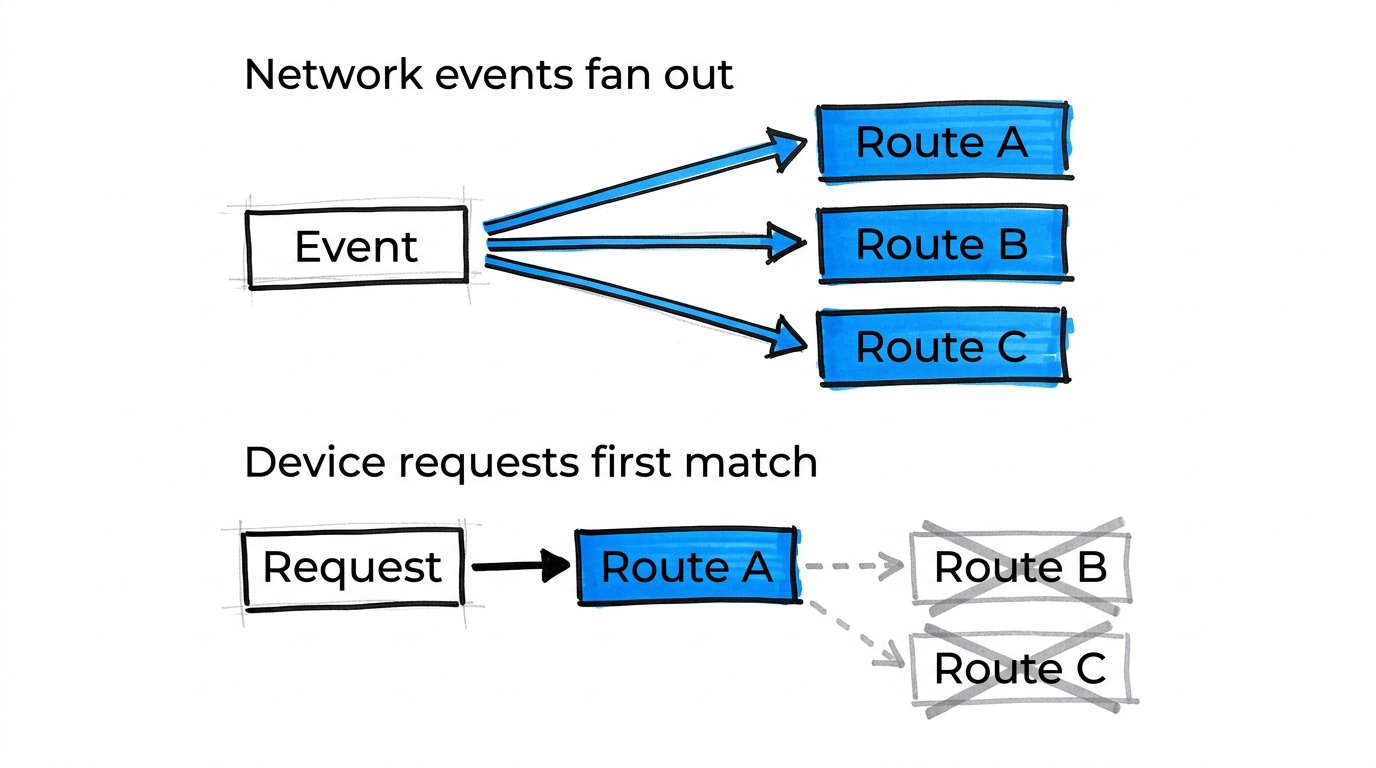
Routes behave differently depending on the event type:
- Network events (
network.*,config.*) — Fan out to all matching routes. If three routes match a position event, all three receive a copy. - Device requests (
device.request.*) — Use the first matching route only. The device expects a response, so the event goes to one destination. - Device messages (
device.message.*) — Fan out to all matching routes, like network events.
Destinations
Route URLs can point to:
- Your own webhook endpoint — Any HTTPS URL that accepts POST requests and responds with
200within 10 seconds. - Hosted integrations — Blecon-managed endpoints that forward events to AWS S3, AWS SQS, AWS EventBridge, or other services. You configure the integration in the Console, and Blecon provides a destination URL to use in your route.
Multiple routes
A single event can be delivered to multiple destinations by creating multiple routes with the same or overlapping event filters. This is useful for sending events to both a real-time processor and an archival service simultaneously.