Reference beacons
GPS doesn't work indoors. Reference beacons solve this by giving the positioning system fixed, known anchor points throughout your building — so Blecon can accurately place tracked devices even deep inside a warehouse, office, or factory floor.
A reference beacon is a small Blecon device installed at a known location. Because its position is pre-configured, the system uses it as a spatial anchor rather than trying to locate it. This lets hotspots determine which area they're covering and assign tracked devices to the right location.
Reference beacons also make zone assignment more flexible: they tell nearby hotspots which network zone they're in, so you can reorganize zones just by moving beacons instead of changing hotspot settings.
How reference beacons work
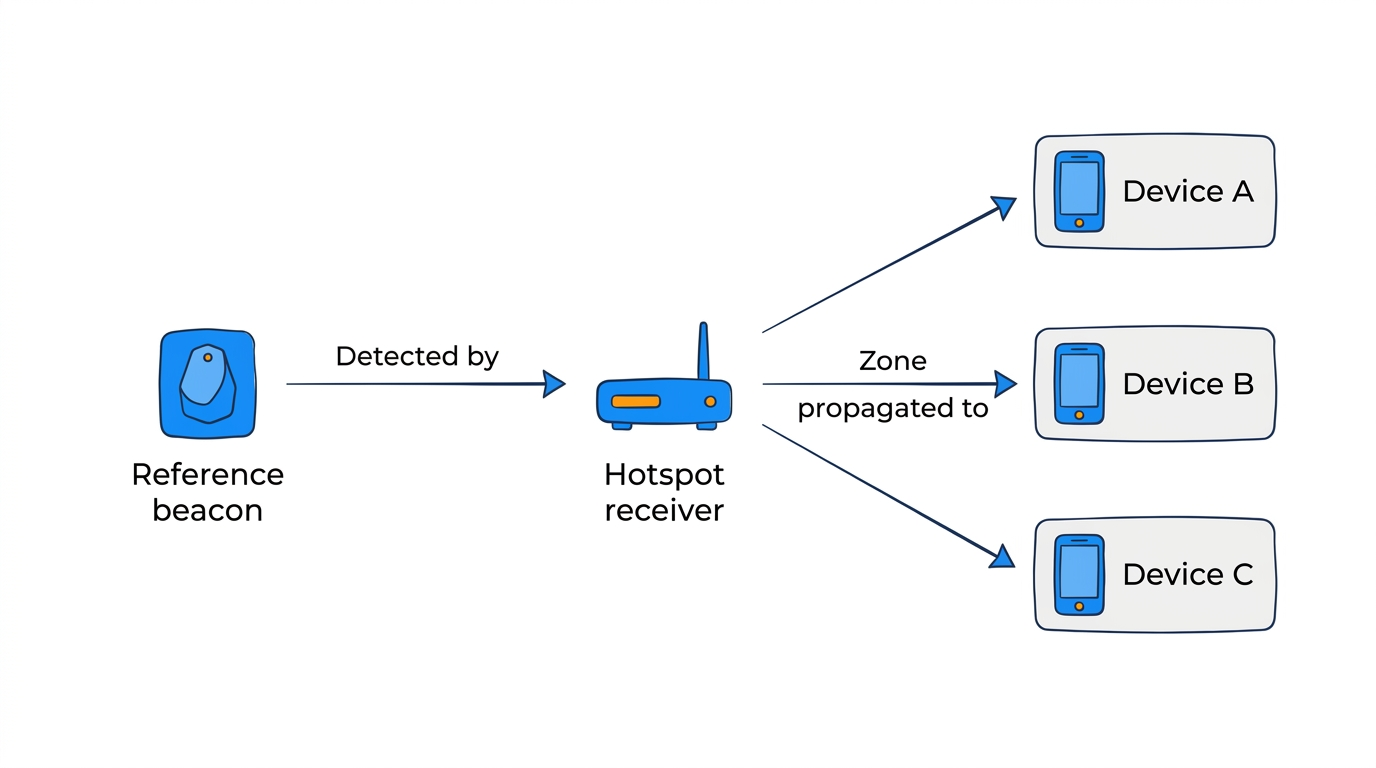
A reference beacon is a regular Blecon device configured with:
- A fixed position (GPS coordinates or local x/y/z).
- A zone assignment (which network zone the beacon belongs to).
When a hotspot detects a reference beacon, the system doesn't calculate the beacon's position (it's already known). Instead, the beacon's network zone assignment is propagated to the hotspot. Any other devices detected by that hotspot then inherit the network zone from the reference beacon.
This means you can assign network zones without configuring each hotspot individually — place a reference beacon in a room, and any hotspot that detects it will report devices in that room's network zone.
Setting up a reference beacon
- Register a device on your network.
- In the Blecon Console, open the device detail page.
- Toggle Reference Beacon on.
- Select the network zone the beacon belongs to.
- Optionally set the beacon's floor and GPS coordinates (for positioning accuracy).
The beacon's zone assignment takes effect immediately. Hotspots that detect the beacon will start reporting its zone for other devices.
When to use reference beacons
- Room-level network zone assignment — Place a beacon in each room. Hotspots automatically learn which room they're covering.
- Flexible deployments — Move a beacon to reassign a hotspot's network zone without reconfiguring the hotspot itself.
- Sites with shared hotspot infrastructure — Multiple network zones can be served by the same hotspots, with beacons defining the boundaries.
Reference beacons vs direct hub configuration
There are two ways to assign a network zone to a hotspot location:
Direct hub configuration — Open the hub's record in the Blecon Console and set its network zone directly. The hub reports that zone for all devices it detects. This is the simpler option and works well when hubs are permanently installed in a fixed area and zones are unlikely to change.
Reference beacons — The hub learns its network zone from a nearby reference beacon rather than from its own configuration. This is more flexible: you can reassign zones by moving beacons without touching hub settings, and a single hub can cover multiple zones if it detects beacons from more than one.
If both are configured on the same hub, the reference beacon's zone takes priority.
Related pages
- Zone detection
- How positioning works
- Zones (Blecon Track)