Zones
Divide your space into meaningful areas and let Blecon tell you exactly what's where. Zones power geofence alerts, occupancy monitoring, and asset organisation — from individual rooms to entire campuses. Define a zone once, then build any number of alert rules on top of it.
Blecon gives you two types of zones that work together, so you get the best of both worlds: precise proximity detection indoors and flexible geographic boundaries everywhere else.
Zone types
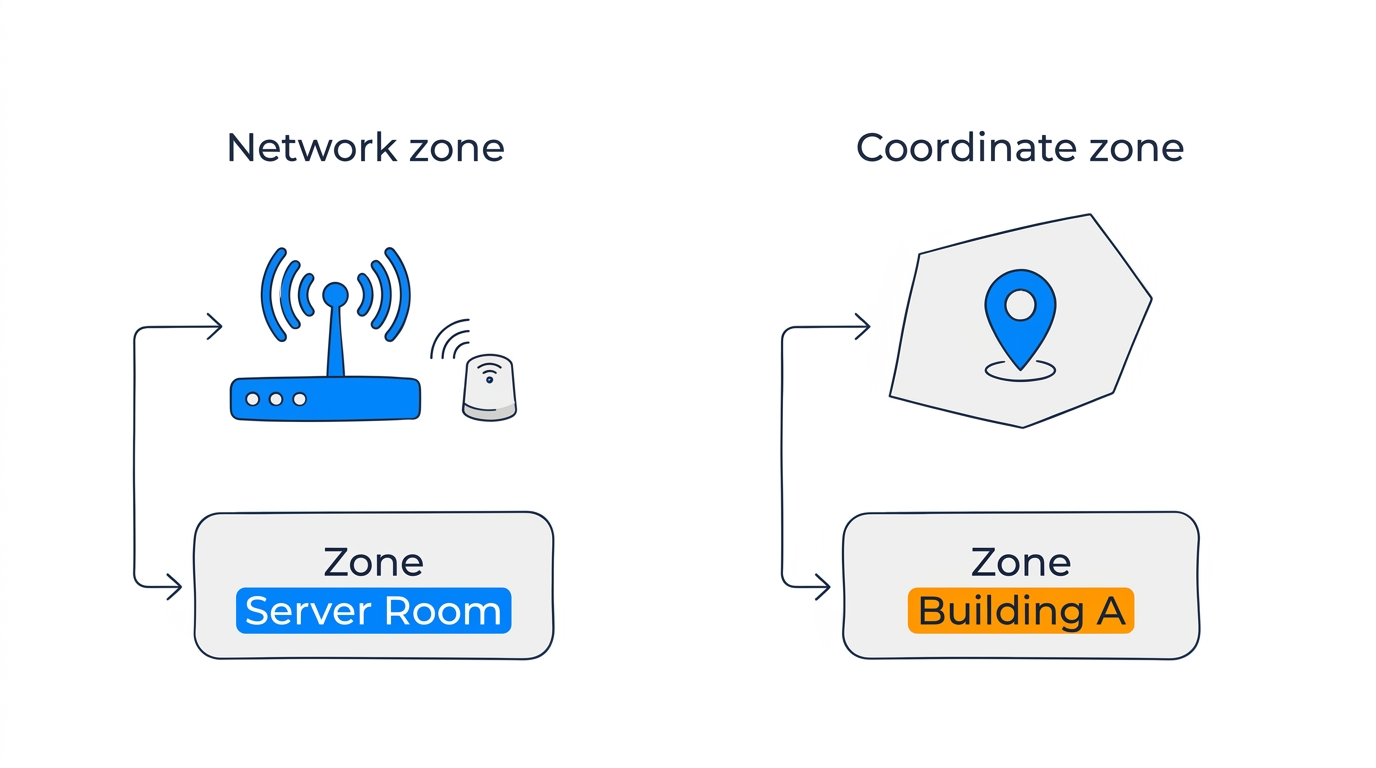
Blecon has two types of zones that work in parallel:
Network zones
Network zones are proximity-based — a device is "in" the zone when it's detected by a hotspot or reference beacon assigned to that zone. You create network zones in the Blecon Console under your network's Zones section, then assign them to hotspots or reference beacons. They appear in Blecon Track automatically once created.
Network zones appear on the map as points (the hotspot's location), not as drawn boundaries. Best for indoor environments where you want room-level or area-level presence.
Coordinate zones
Coordinate zones are geographic boundaries that you draw on the map in Blecon Track. A device is "in" the zone when its GPS coordinates fall within the polygon. You create them by drawing a shape on the map or searching for a place.
Coordinate zones support two shapes: - Polygon — Freeform boundary drawn by clicking vertices on the map. - Bounding box — Rectangular area defined by north/south/east/west coordinates.
A device can be inside multiple coordinate zones simultaneously (e.g., overlapping "Building A" and "UK Sites" zones).
How devices are assigned to zones
- Network zones — A device has at most one network zone at a time, determined by the strongest hotspot/beacon signal.
- Coordinate zones — A device can be in many coordinate zones at once, determined by spatial containment queries against its GPS position.
Both zone types appear in the zones list and support alert rules, zone tags, and asset counts.
Zone tags
Tags let you group zones for bulk rule management. Instead of creating separate rules for 50 parking zones, tag them all with parking and create one rule that targets the tag.
Tags are set when creating or updating a zone and can be used by any alert rule that accepts zone targeting.
Zone asset counts
Each zone displays a count of how many assets are currently inside it. You can use the zone asset count alert rule to trigger alerts when counts go above or below thresholds.