Return to base
Return to base triggers when a device has been away from its base location for longer than a specified duration.
How it works
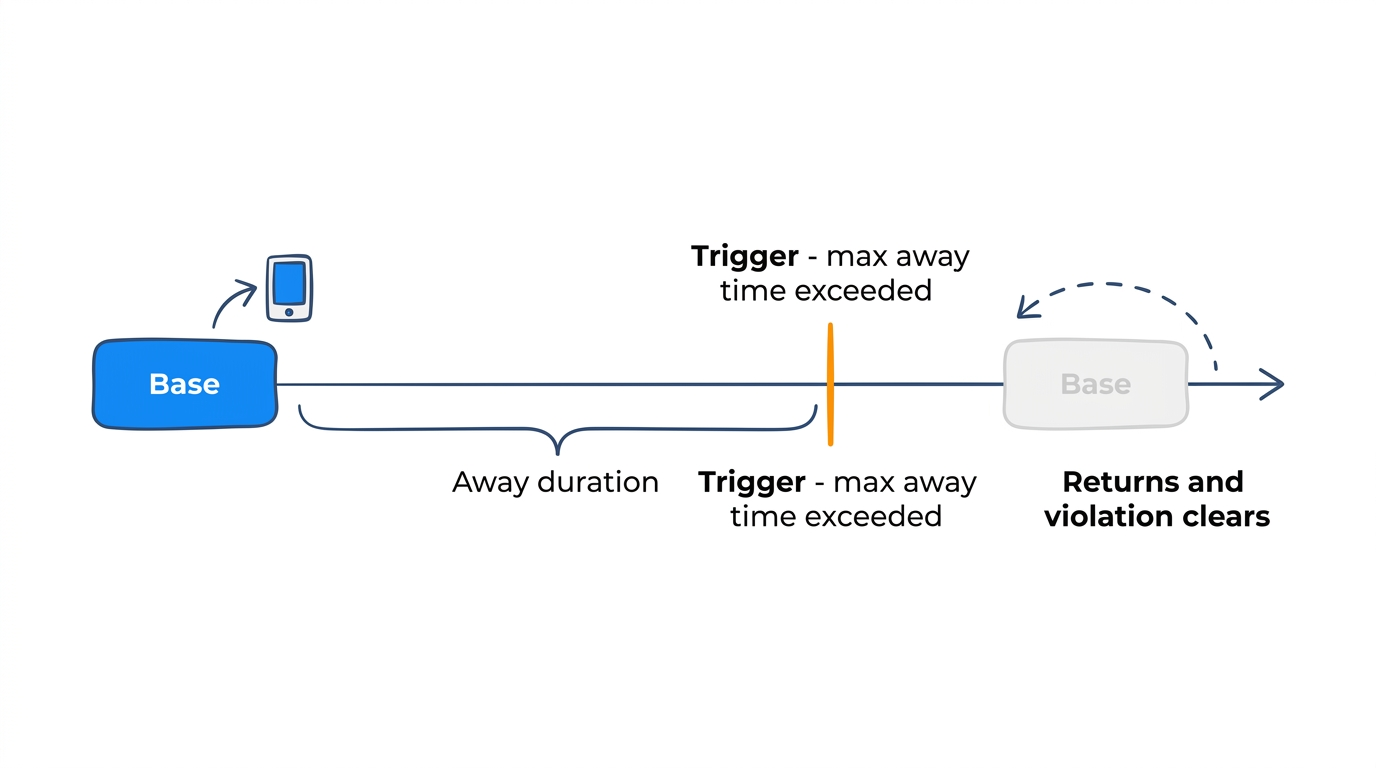
You define a base location and a maximum away time. If a device stays away from the base longer than the limit, the rule triggers. The violation clears automatically when the device returns.
Parameters
| Parameter | Type | Required | Default | Description |
|---|---|---|---|---|
base_location_id |
string | Conditional | — | The base zone ID. Use this or zone_tags. |
zone_tags |
array | Conditional | — | Match zones with any of these tags. Device must be in any tagged zone. |
exclude_zone_ids |
array | No | — | Zone IDs to exclude when using zone_tags |
max_away_duration_seconds |
integer | No | 3600 | Maximum time away before triggering (default: 1 hour) |
Example: vehicle return
Alert when a delivery vehicle has been away from the depot for more than 8 hours:
- Base location:
zone_depot - Max away duration: 28,800 seconds (8 hours)
- Severity: Medium
When to use return to base vs scheduled return
- Return to base monitors duration — how long a device has been away.
- Scheduled return monitors clock time — whether a device is back by a specific deadline.
Use return to base when the limit is based on elapsed time. Use scheduled return when the limit is based on time of day.