Geofence entry and exit
Geofence entry and exit rules trigger when a device crosses a zone boundary — either a network zone or a coordinate zone.
How it works
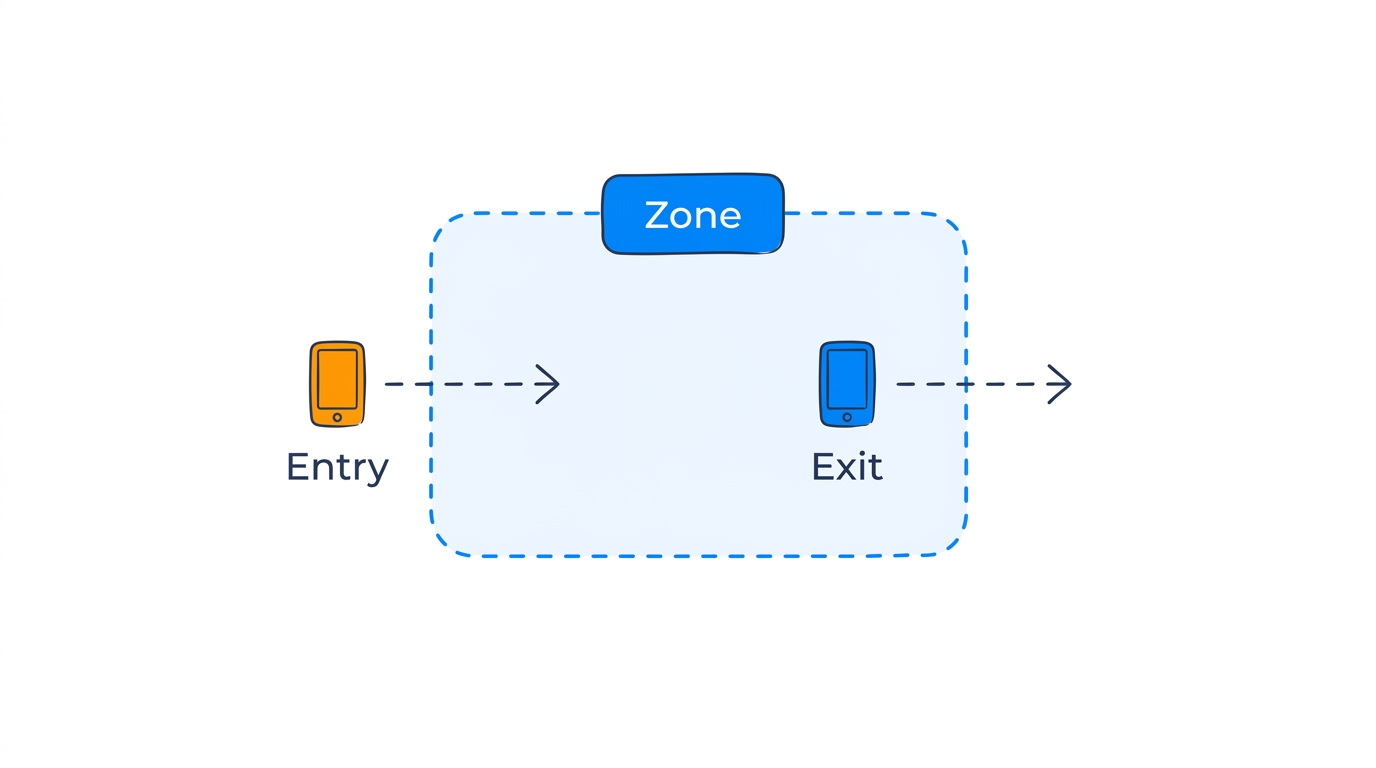
- Geofence entry triggers when a device transitions from outside to inside a location.
- Geofence exit triggers when a device transitions from inside to outside a location.
Both rule types work with network zones and coordinate zones. You can optionally set a minimum duration — the device must stay inside (or outside) for a specified time before the rule triggers.
Parameters
| Parameter | Type | Required | Default | Description |
|---|---|---|---|---|
location_id |
string | Yes | — | Zone to monitor |
min_duration_seconds |
integer | No | 0 | Minimum time before triggering |
You can also use zone_tags instead of location_id to target all zones with a specific tag.
Example: network zone entry alert
A rule that triggers when any device enters the server room (a network zone based on hotspot proximity):
- Rule type:
geofence_entry - Location:
zone_server_room - Severity: High
Example: coordinate zone exit alert
A rule that triggers when a device leaves the office campus (a coordinate zone drawn on the map):
- Rule type:
geofence_exit - Location:
zone_office_campus - Min duration: 60 seconds (avoids false triggers from GPS drift at the boundary)