Communicating with the cloud
Operating principles
- Devices are clients, and the device is always the initiator of any request
- Your cloud application receives requests and messages from devices as well as network events
- Any Blecon App can relay messages from any Blecon Device
- The communication is secured between the device and the Blecon service
Requests
With Device Requests, Blecon Devices communicate with your cloud integration using a simple request/response model.

Requests are typically used when a device needs to retrieve information from the cloud, for example configuration.
A request is synchronous end to end, so it's important to ensure that your cloud application responds as quickly as possible.
If, for any reason, your application does not respond with an HTTP success code to the request, the device will receive an error response and will try again later.
One-way Requests (Messages)
To send data to the cloud, sending a one-way request from your device is more efficient. A message is asynchronous and delivered batched to the configured destination, if one is configured.
Network Events
When integrating Blecon into your product, you will often also need information about network events.
Network events include:
- A device registered on a network
- A device was deregistered from a network
- Device spotted
Your application can process these events as required for your use-case.
Namespaces and Methods
[Device requests ](device-communication.mdmust include a Namespace and Method. These are labels to help route the request correctly.
Namespaces
A namespace helps identify the Integration the request is for. For example, a namespace might be:
telemetry
firmware_update
config_update
user_events
When you add an integration to a Blecon Network, you choose which events route to that integration by specifying a namespace:
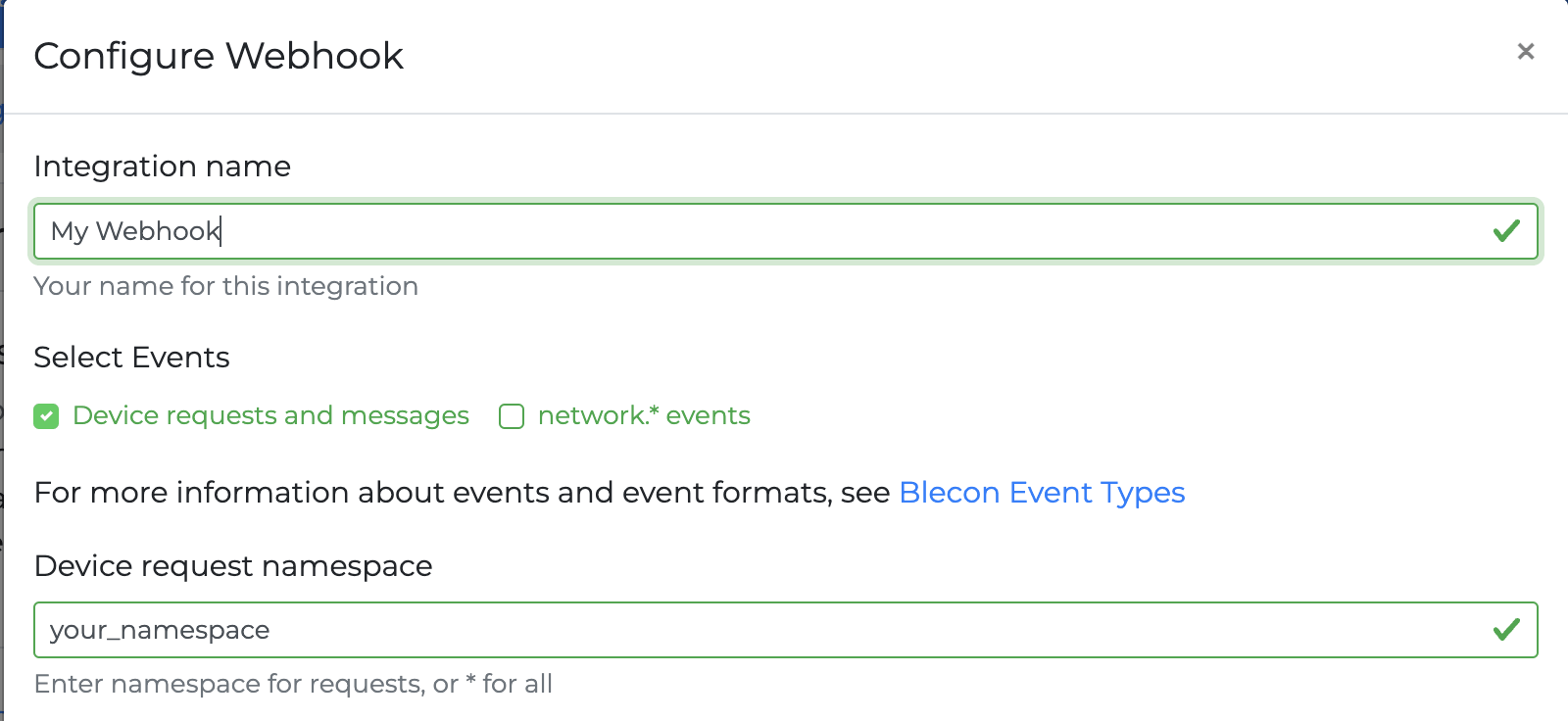 You can enter a specific namespace or write
* to capture events from all namespaces.
Methods
Methods are an additional label on device requests. When combined with the namespace, a method name can identify the exact type of request. When the device makes a request, the namespace and method form part of the unique Event Type:
Examples
- device.request.firmware_update.check_fw
- device.message.telemetry.temperature
- device.message.user_events.button_pressed
You can see how methods are used in pre-built integrations. For example, the AWS S3 integration uses methods such as s3_download_id and s3_download_filename. See the integrations documentation for details.